
Support · Commands
Player commands
Every chat command available on our servers, grouped by rank. Type them in game chat, prefixing with a slash.
Player
Everyone
| Command | Description |
|---|---|
| /tpa <player> | Send a teleport request to another player |
| /tpaccept | Accept a pending teleport request |
| /tpdeny | Deny a pending teleport request |
| /tpacancel | Cancel a teleport request you sent |
| /home | Teleport back to your base |
| /vault | Open your biggest vault |
| /vaults | List the vaults you can access |
| /defaultvault | Set your default vault |
| /trash | Open a trash container to delete items |
| /kits | List the kits you can redeem |
| /kit <name> | Redeem one of your kits |
| /kit start | Redeem the starter kit |
| /kit basic-house | Redeem the Basic House kit |
| /kit small-generator | Redeem the Small Generator kit |
| /kit big-generator | Redeem the Big Generator kit |
| /stats | View your survival stats |
| /rank | View your rank |
| /ranking | View the server rankings |
| /website | Get the website link |
| /strona | Website link (PL) |
| /discord | Get our Discord invite |
| /decay | Show current decay info |
Perk: salvaging is 2× faster — no command needed.
VIP-1
Includes every Player command
| Command | Description |
|---|---|
| /vault beta-1 | Access to Beta vault 1 |
| /kit vip-house | Redeem the VIP House kit |
| /kit assault | Redeem the Assault kit |
VIP-2
Includes every Player command
| Command | Description |
|---|---|
| /vault gamma-1 | Access to Gamma vault 1 |
| /kit vip-house | Redeem the VIP House kit |
| /kit assault | Redeem the Assault kit |
| /kit sniper | Redeem the Sniper kit |
VIP-3
Includes every Player command
| Command | Description |
|---|---|
| /vault delta-1 | Access to Delta vault 1 |
| /vault delta-2 | Access to Delta vault 2 |
| /kit vip-house | Redeem the VIP House kit |
| /kit assault | Redeem the Assault kit |
| /kit sniper | Redeem the Sniper kit |
| /kit flanker | Redeem the Flanker kit |
Need help?
Support
How to open a support ticket
1. Join our Discord here.
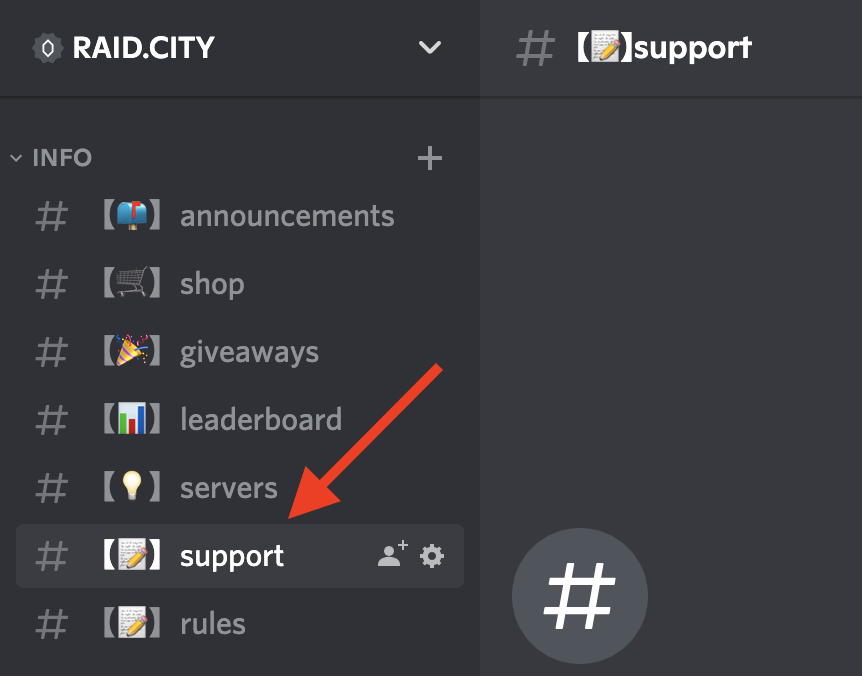
2. Head to the #support channel.
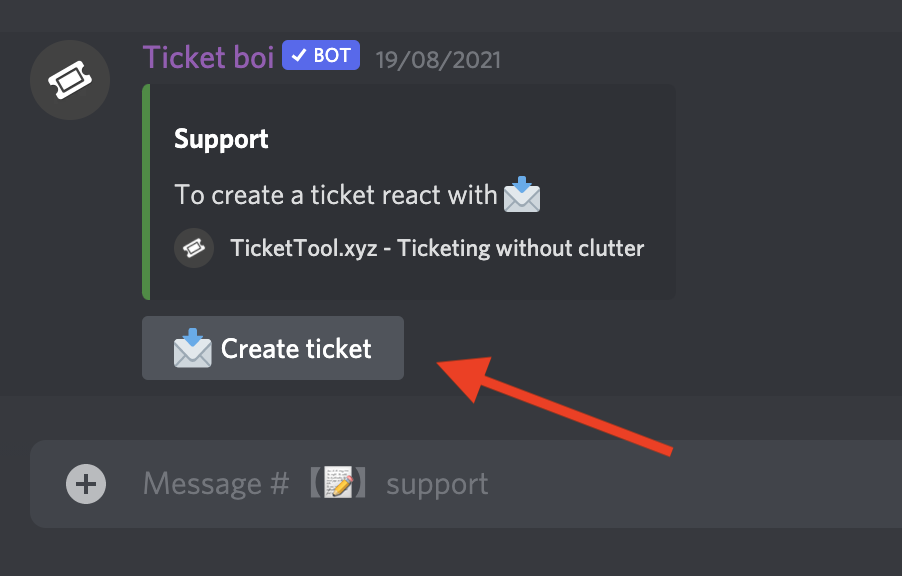
3. Click the Create Ticket button.
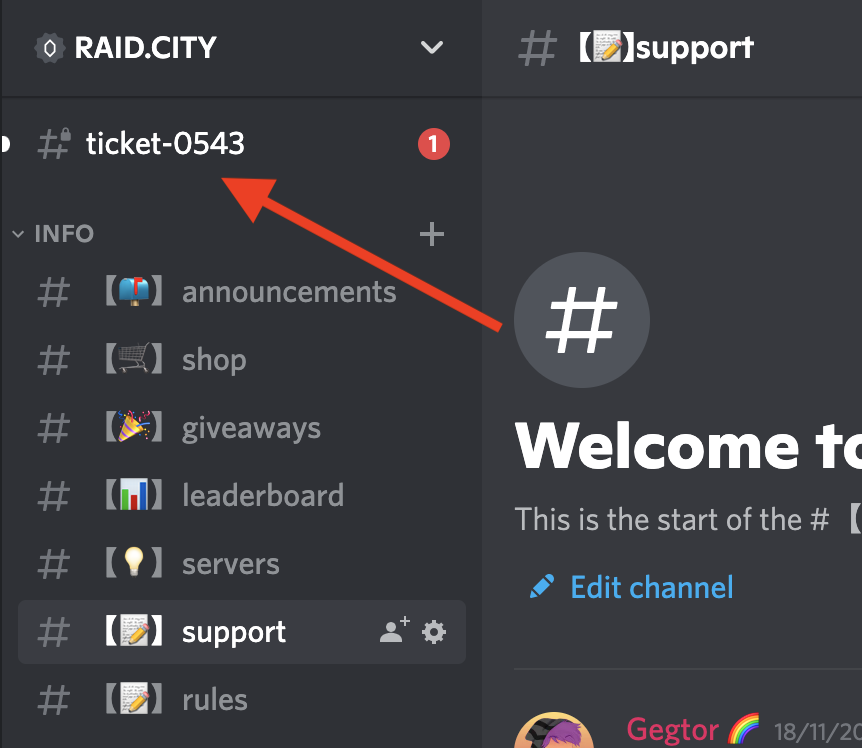
4. Done — our support staff will be with you shortly in the new ticket channel.
You can also email us at [email protected].